Think it. Plan it. Do it. Keep it.
Nexmio Work keeps your pages as plain Markdown files, with tasks, plans, meetings and an AI that runs on your own computer and only ever suggests.
How it works
Write. Organise. Ask. Keep.
Plain Markdown
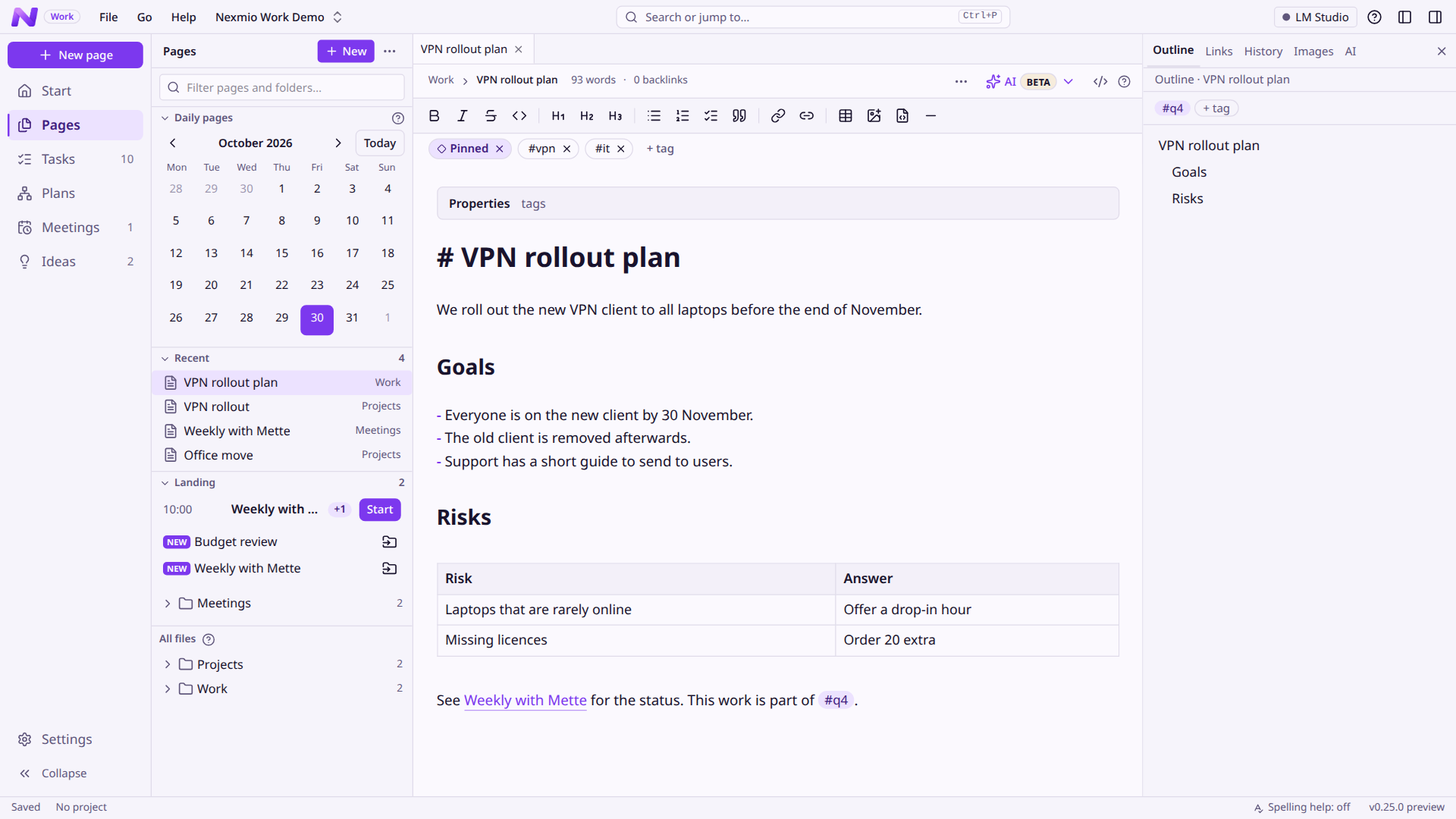
A fast editor that shows your formatting as you type. Every page is an ordinary .md file in an ordinary folder.
Tasks and meetings
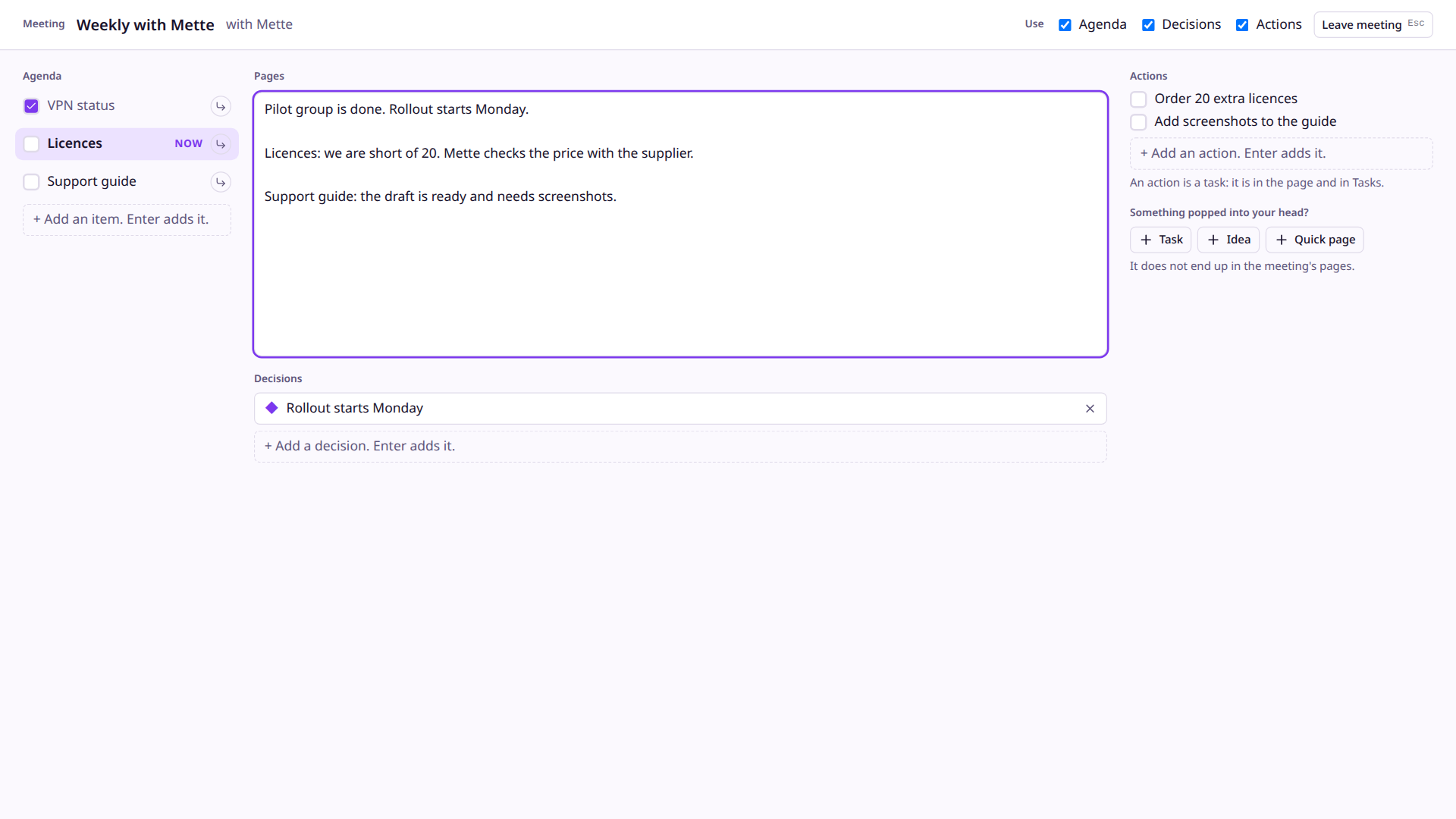
Tasks live in your pages. Meetings have an agenda, a place to write while you talk, and the tasks that came out of them.
An AI that suggests
Fix, rewrite or find things with a model on your own computer. It proposes; you read the change and accept it.
Nothing is lost
Every change is saved in a built-in Git history. Bring back any version of a page, or a page you deleted.
Features
Everything in one place, nothing locked in.
Tasks that live in your pages
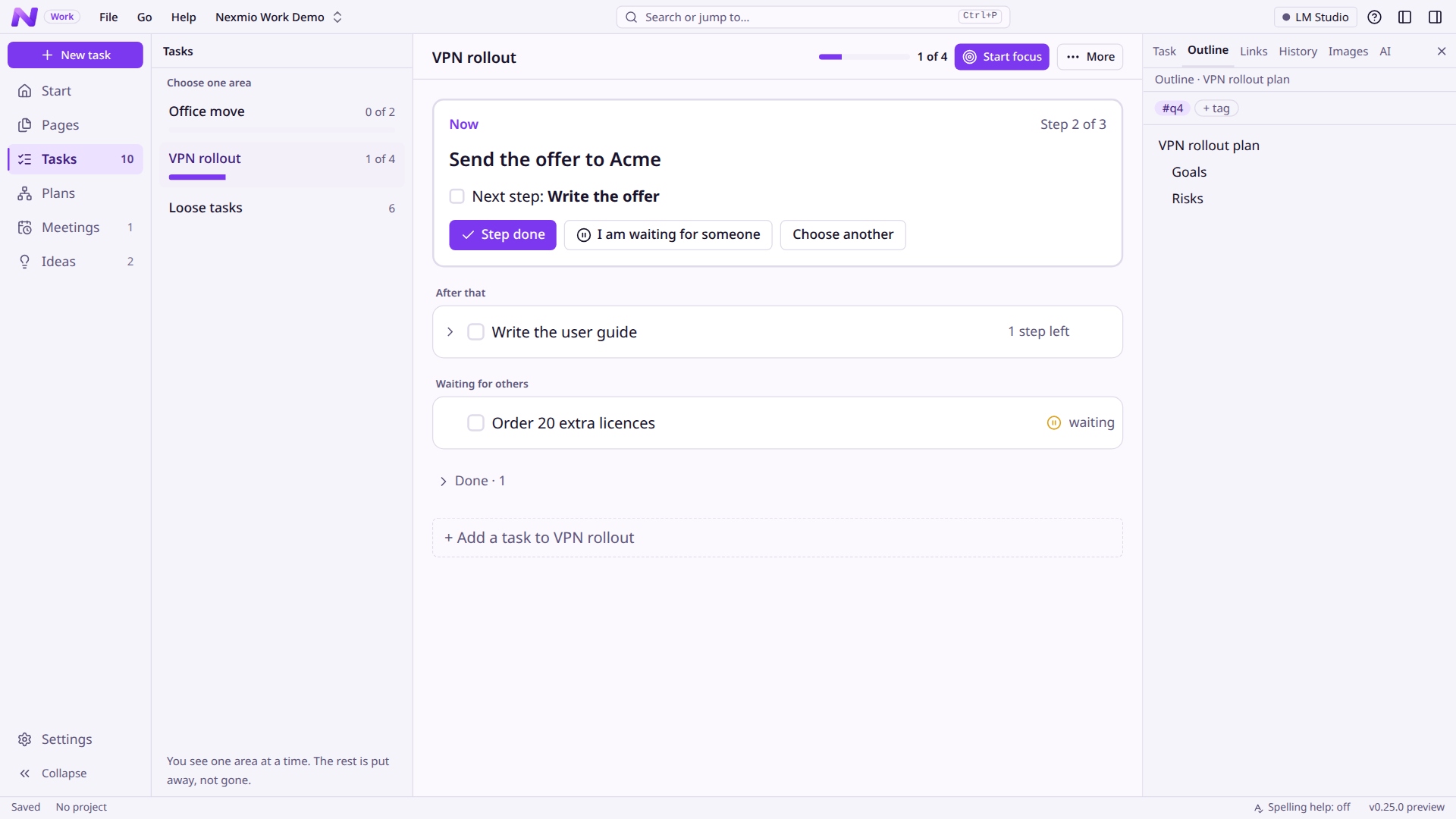
A task is a checklist line, so it works in any editor. Group them into epics, see one epic at a time, and focus on one thing at a time.
- Epics with steps, a page and a log of what happened
- A status on every task: Doing, Waiting or Dropped
- Focus mode with an optional timer
An AI that only suggests
Select text and choose what to do. Nexmio Work shows the change next to the original, and nothing is written until you accept it.
- Runs on your computer: built-in models, or LM Studio
- Fixed commands that do one thing and return only the result
- Draw a diagram from a text, added only if you say so
Pages for the whole meeting
Write your pages in one place all through the meeting. Add only the parts you want: an agenda, decisions, and actions that become tasks.
- An action is a task in your page, so it shows in Tasks too
- A small arrow writes an agenda point into the pages
Plans, one part at a time
Break something big into parts, and the parts into smaller parts. See it as an outline or as a map, and tie a part to a task, a page or an epic.
- Arrange the map: side by side, stacked or in a grid
- Archive a plan when it is done, and open it again if you need it
A start page and your own look
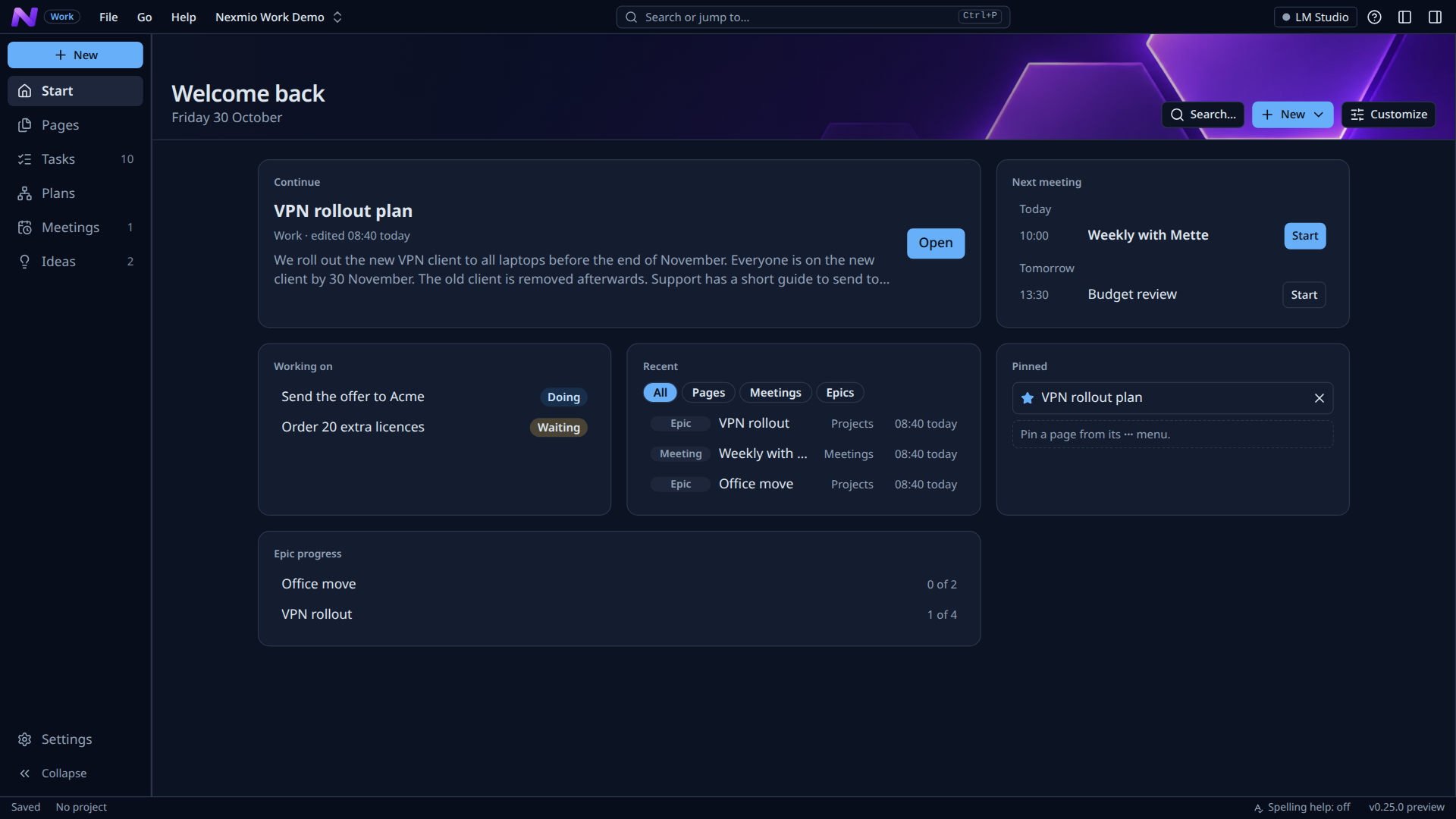
Your start page shows what you need today, built from widgets you choose. Pick Light, Dark or one of six calm palettes.
- Next meetings, recent pages, plans and epic progress at a glance
- Your pages never change: the theme is only how the app looks
Your own tags, kept apart
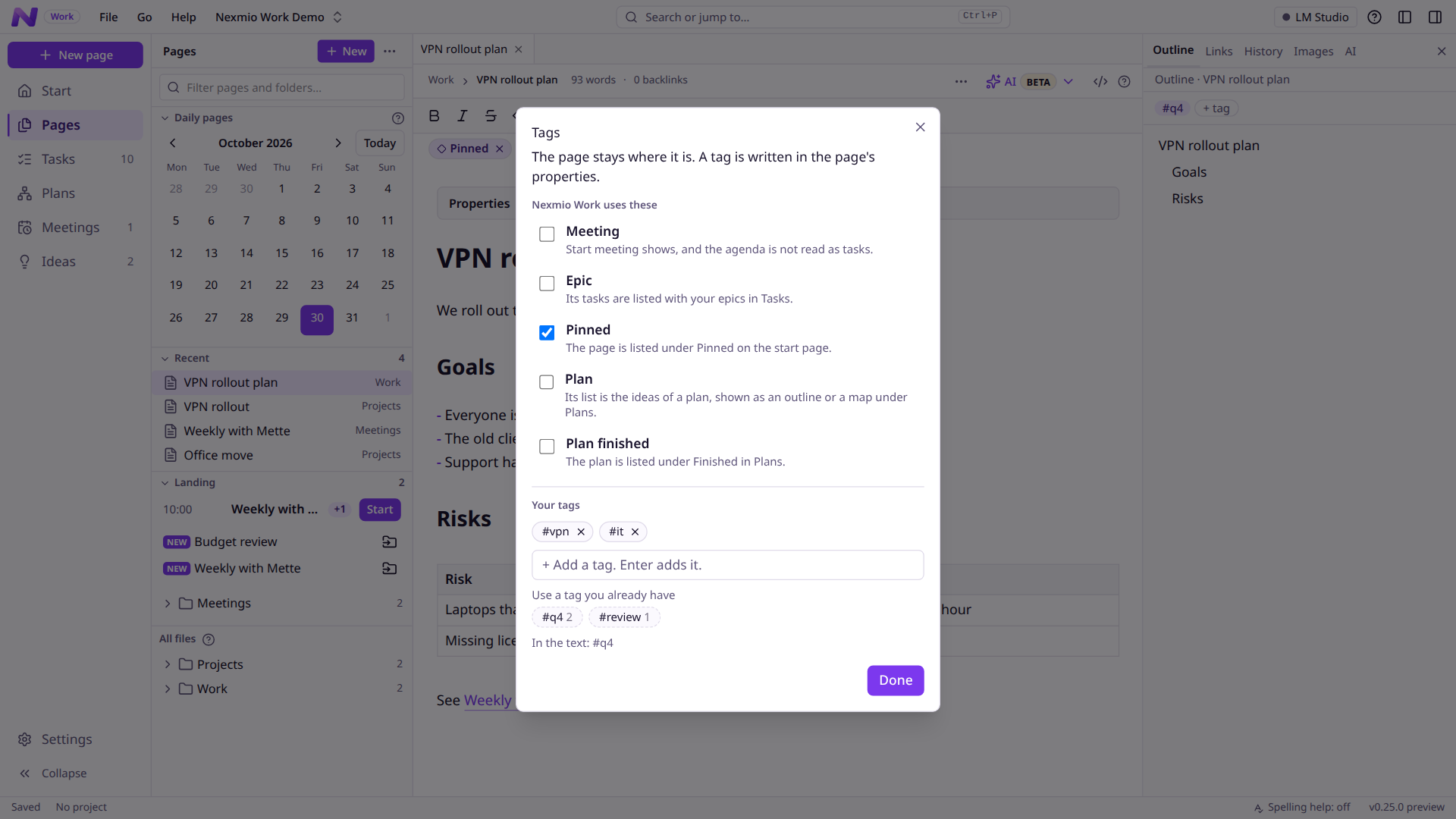
Tag a page with any word and find it again in search. The tags the app uses are shown apart, with what each one does.
- Tags are written in the page's properties, so any editor reads them
- The AI never adds or takes away the app's own tags
Your files
A folder of Markdown, and nothing else.
Open your vault in any other editor, any day. There is no database to export and no format to escape from.
Plain files, by design
What you write lives as ordinary files on your disk.
- No database to export
- Properties on top of the page, so any editor reads them
- Every change kept in Git history
- It all still opens, with or without Nexmio Work
Your files
Notes/Weekly with Mette.md.gitVS Code, Obsidian…Privacy
Your pages stay on your computer.
No account, no tracking
Nexmio Work does not phone home. There is nothing to sign up for.
A local AI by default
The AI reads your pages only on your own machine. A cloud AI is possible, but only after you say yes, and never in a project you lock to local.
You decide what is written
The AI never changes a page on its own. Every change is a proposal you review.
Download
Get Nexmio Work.
Nexmio Work is free to use and change (Apache-2.0 with the Commons Clause). It may not be sold. Your pages are plain files, so you can always take them with you.
Nexmio Work
The first release is coming soon. Until then, the Preview below has everything.
The calm version: tested, and updated less often.
- Windows installer, no administrator needed
- Linux AppImage and packages
Nexmio Work Preview
The newest features, as they are built. It changes often.
- It can be installed next to Nexmio Work, and your pages are plain files in both.
- Every new version arrives here first
- Your pages stay plain files, so you can switch back and forth
Nexmio Work never looks for updates by itself and sends nothing. Use Help → Check for new version… in the app to see if a newer version is out. All versions are on the releases page.
Support
Found a bug? Missing something?
Tell us on GitHub. It is free, it takes a minute, and everything is public so others can add to it. Please do not paste private pages or passwords.
How do I…?
The guides explain every part, and the guide is in the app too (Help → How to use Nexmio Work).
In the app: Help → Report a bug… and Help → Suggest a feature… open the same forms with your version filled in.
For developers
Want to build it yourself?
Nexmio Work is open source. Most people only need the download above. If you want to run it from the source, change it, or see how it is made, start here.
The code
Tauri 2, a Rust backend and a React and TypeScript front end, with every area and its rules written down.
Open the repository